
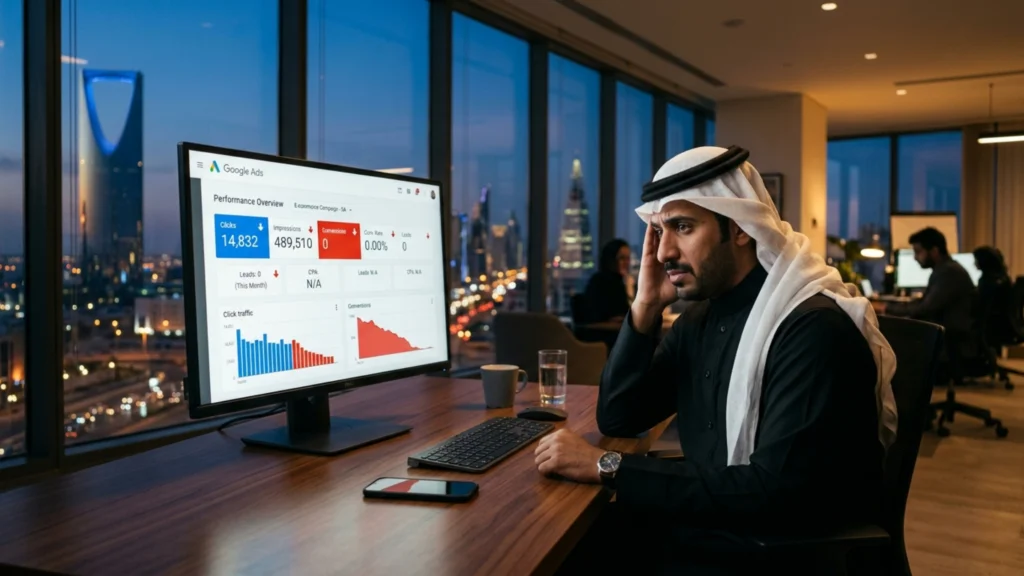
You checked your Google Ads dashboard this morning.
Impressions: strong. Clicks: steady. Cost: climbing.
Leads: zero.
This is not a budget problem. This is not a Google problem. And increasing your daily spend will not fix it it will only accelerate how fast you drain your marketing budget into a campaign that was broken before the first dirham was ever spent.
This is the silent conversion crisis hitting businesses across Saudi Arabia and the GCC in 2026. And the painful truth? Most business owners don’t discover the real cause until they’ve wasted thousands in ad spend chasing a problem they were never looking for in the right place.
This blog breaks down exactly why your Google Ads are failing to generate leads and gives you a step-by-step fix framework you can act on today.
What Does "Clicks But No Leads" Actually Mean for Your Business?
Before diagnosing the problem, let’s define the damage.
When your Google Ads generate consistent clicks but produce zero — or near-zero — leads, one of three things is true:
- You are attracting the wrong audience at the click level
- You are losing them after the click due to a broken post-click experience
- You are not tracking conversions correctly, so leads are happening but you can’t see them
Each scenario has a different fix. Most businesses assume the first. The reality is almost always the second.
Why Is This Happening? The Real Causes in 2026
Google’s ad ecosystem has fundamentally shifted. In 2024–2025, Google rolled out enhanced Smart Bidding updates, expanded broad match defaults, and pushed Performance Max campaigns aggressively. These changes gave Google more algorithmic control — and took targeting precision away from advertisers who weren’t paying close attention.
The result for many Saudi businesses: ads showing to technically relevant but commercially unqualified audiences.
Add to that the rise of Google AI Overviews pulling informational searchers away from ads entirely, and you have a landscape where only conversion-optimized campaigns survive.
Here is what is specifically breaking campaigns in 2026:
Reason 1 — Ad-to-Landing Page Message Mismatch
This is the number one silent killer of Google Ads campaigns.
Your ad promises: “Free Consultation for Your Business in Riyadh” Your landing page headline says: “Welcome to Our Company — We Offer Marketing Solutions”
The visitor arrived expecting a specific promise. The page delivered a generic introduction. They left in under 8 seconds.
This disconnect — called message mismatch — destroys trust instantly. Google’s own research confirms that landing page relevance is one of the strongest Quality Score signals. A poor Quality Score means higher cost-per-click and lower ad placement. The damage is both financial and positional.
Fix: Every ad group should link to a dedicated landing page that mirrors the exact language, offer, and promise in the ad copy. Not your homepage. Not a services page. A purpose-built conversion page.
Reason 2 — Wrong Keyword Match Types Attracting Unqualified Traffic
Many campaigns in the Saudi market are running on broad match keywords by default — especially after Google shifted Performance Max and Smart Campaigns to broad intent targeting.
Broad match for a keyword like “marketing services” can trigger your ad for searches like:
- “free marketing courses online”
- “marketing jobs in Riyadh”
- “what is digital marketing”
These are not buyers. These are researchers, students, and job seekers. You are paying for every one of their clicks.
Fix: Audit your Search Terms Report weekly. Add irrelevant queries as negative keywords immediately. Prioritize exact match and phrase match for high-intent commercial keywords like “Google Ads agency Riyadh” or “PPC management Saudi Arabia.”
Reason 3 — Landing Page Speed Failure on Mobile
Over 74% of search traffic in Saudi Arabia is mobile-first, according to regional digital behavior data. If your landing page takes more than 3 seconds to load on a mobile connection, the majority of your paid visitors have already left before your page finishes rendering.
Google’s PageSpeed Insights benchmark is clear: pages loading beyond 3 seconds lose more than 53% of mobile visitors. For a paid traffic campaign where every click costs money, this is a catastrophic leak.
Fix: Run your landing page through Google PageSpeed Insights and GTmetrix. Target a mobile load time under 2.5 seconds. Compress images, eliminate render-blocking scripts, and consider moving to a faster hosting infrastructure if needed.
Reason 4 — No Clear, Singular Call-to-Action
Saudi business landing pages frequently make one critical design error: they offer visitors too many choices.
Call us. WhatsApp us. Fill this form. Download our brochure. View our portfolio. Follow us on Instagram.
When visitors have too many options, they choose none. Behavioral psychology calls this decision paralysis. In conversion optimization, it is called a guaranteed lead killer.
Fix: Each landing page must have one primary CTA only. For most B2B businesses in Saudi Arabia, WhatsApp integration with a single tap-to-chat button consistently outperforms contact forms by 3–5x in lead volume. Match your CTA to how your audience prefers to communicate.
Reason 5 — Broken or Missing Conversion Tracking
This one is more common than you think — and more dangerous, because it makes a broken campaign look like a working one.
If your Google Ads conversion tracking is not correctly set up, Google’s Smart Bidding algorithm has no performance data to optimize against. It is flying blind. Worse, you have no visibility into which keywords, ads, or audiences are actually generating leads — so you cannot optimize what you cannot measure.
Fix: Audit your conversion actions in Google Ads. Ensure form submissions, WhatsApp clicks, phone calls, and thank-you page visits are all tracked as distinct conversion events. Use Google Tag Manager for implementation and verify every conversion event is firing correctly in Tag Assistant.
Contrarian Insight: More Budget Is the Wrong Answer
Here is what most agencies will never tell you — because more budget means more management fees for them.
Increasing your Google Ads budget before fixing your conversion path is the single most expensive mistake a Saudi business can make in 2026.
A campaign converting at 1% does not become a 5% converter because you spent five times more. It becomes five times more expensive at the same broken rate. The math is that simple. The damage is that real.
Fix the conversion path first. Then scale budget into a system that actually works.
Real-World Scenario: E-Commerce Brand in Jeddah
A home furnishings e-commerce brand in Jeddah was running SAR 18,000/month in Google Ads. Clicks were averaging 900–1,100 per month. Leads and purchases: fewer than 12.
After a full conversion audit, three problems were identified:
- All ads pointed to the homepage instead of product-specific landing pages
- Mobile load time was 6.8 seconds
- WhatsApp CTA was buried below the fold on mobile screens
After rebuilding landing pages, compressing site assets, and placing a sticky WhatsApp button at the top of every mobile page — conversions increased to 67 in the first month on the same ad budget.
No budget increase. No new campaigns. Just a fixed conversion path.
The 5-Step Google Ads Conversion Fix Framework
This is the exact audit and repair process a professional PPC team would run on your account.
Step 1: Run a Full Search Terms Audit
- Open Google Ads → Keywords → Search Terms
- Filter for the last 30 days
- Identify every irrelevant, non-commercial, or off-target query
- Add all irrelevant terms as negative keywords immediately
- Document your findings in a weekly negative keyword log
Step 2: Audit Landing Page Message Match
- Pull your top 5 highest-spend ad groups
- Visit the landing page each ad group sends traffic to
- Compare your ad headline to your landing page H1
- If they don’t match in language, offer, and intent — rebuild the landing page
Step 3: Test Page Speed on Mobile
- Run your landing URL through Google PageSpeed Insights
- Target mobile score above 80 and load time under 2.5 seconds
- Fix top three recommendations immediately (usually image compression + script deferral)
Step 4: Simplify Your CTA to One Action
- Remove all secondary CTAs from your landing page
- Test WhatsApp tap-to-chat as your primary CTA for Saudi audiences
- Place your CTA above the fold on both desktop and mobile
- Use urgency language: “Get Your Free Audit Today” not “Contact Us”
Step 5: Verify All Conversion Tracking
- Open Google Ads → Tools → Conversions
- Confirm each conversion action is recording data
- Use Google Tag Manager + Tag Assistant to verify every trigger is firing
- If data is missing for any conversion event — rebuild the tracking from scratch
Actionable Strategy: The 30-Day Conversion Recovery Plan
| Week | Action | Goal |
|---|---|---|
| Week 1 | Search Terms Audit + Negative Keywords | Stop bleeding budget on bad traffic |
| Week 1 | Conversion Tracking Verification | Establish clean performance data |
| Week 2 | Landing Page Message Match Rebuild | Align ad promise to page promise |
| Week 2 | Mobile Speed Optimization | Reduce bounce rate on paid traffic |
| Week 3 | CTA Simplification + WhatsApp Integration | Increase lead capture rate |
| Week 3 | Ad Copy A/B Test Launch | Identify highest-converting message |
| Week 4 | Performance Review + Bid Strategy Adjustment | Scale what works, kill what doesn’t |
Key Takeaways
- Clicks without leads is almost always a post-click problem, not a pre-click one
- Message mismatch between your ad and landing page is the most common and most costly cause
- Broad match keywords attract unqualified traffic — audit your Search Terms Report weekly
- Mobile page speed above 3 seconds kills more than half your paid visitors before they see your offer
- One CTA per landing page — WhatsApp tap-to-chat outperforms forms in the Saudi market
- Conversion tracking gaps cause Smart Bidding to optimize toward the wrong signals
- Never increase budget before fixing your conversion path — it multiplies losses, not results
- The 30-Day Recovery Plan above gives you a sequenced, actionable repair roadmap


